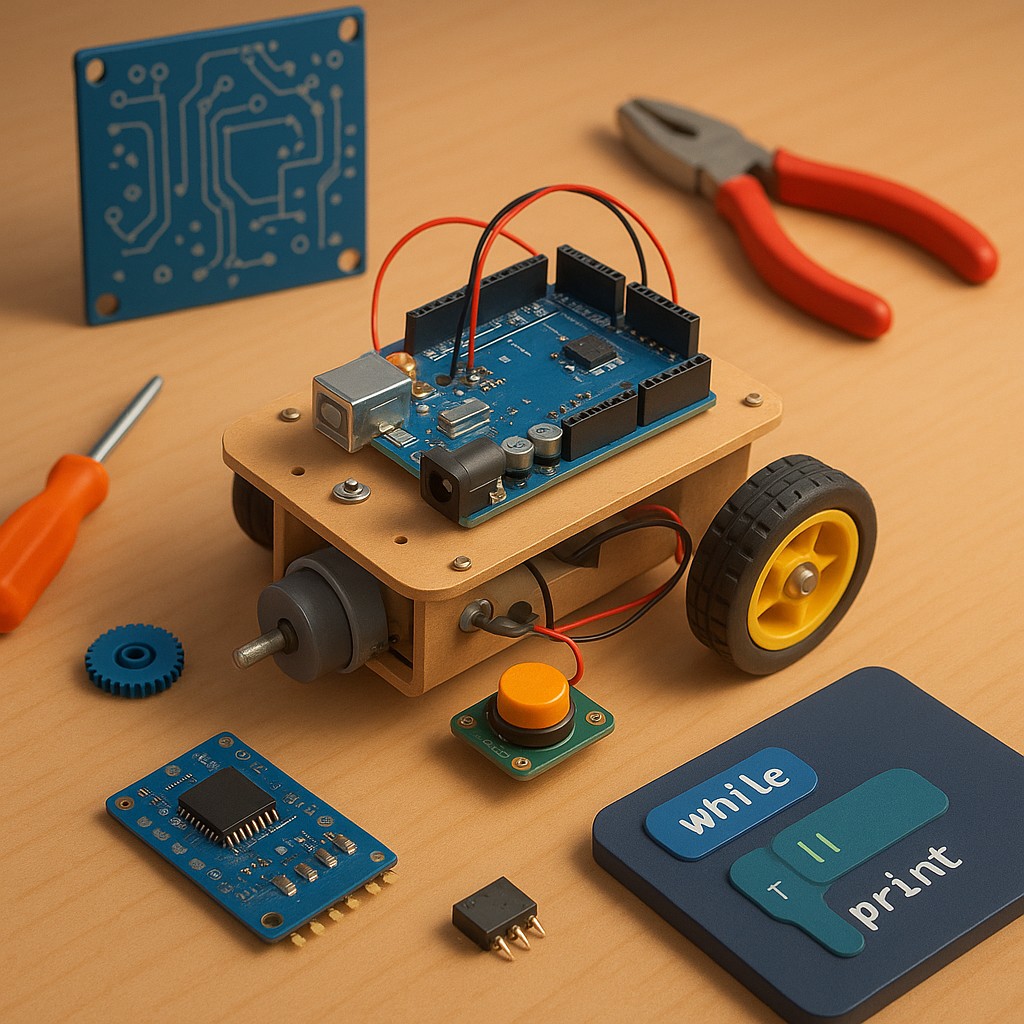
Imagine standing in a room and watching a machine you built from scratch flicker to life. It doesn’t just sit there like a toaster - it notices the world, makes a decision, and then moves. That’s the special magic of robotics: it’s the bridge where the abstract world of code meets the physical world of nuts, bolts, and spinning gears. For years, we’ve been told that building robots is only for NASA scientists or eccentric billionaires in mountain hideaways. Nothing could be further from the truth. Today, the tools to build a mechanical companion are more accessible, affordable, and easier to understand than ever before.
Getting started in robotics isn’t about having a PhD in physics; it’s about cultivating a playful sense of curiosity. You’re learning to play creator on a very small, very safe, and sometimes very frustrating scale. You’ll face motors that won’t turn, sensors that claim a wall is ten feet away when it’s right in front of them, and code that seems to have its own ideas. But once you grasp the basics of mechanical design, electronics, and programming, you’ll have the “triple threat” of modern engineering. This guide will walk you through the three essential skills you need to stop watching science fiction and start building it.
The Physical Body and the Art of Moving Things
Before your robot can think, it needs a body. In robotics, we call this the chassis or mechanical platform. It’s the skeleton that holds everything together and defines what your robot can actually do. If you want a floor-cleaning robot, it needs a low center of gravity and wheels. If you want one that climbs stairs, you’re looking at a more complex setup with legs or tracks. For a beginner, the most important rule is to keep it simple. A two-wheeled robot with a “caster wheel” - a small swivel wheel for balance - is the gold standard for starters, because it’s easy to balance and even easier to steer.
Movement comes from actuators, which is just a technical term for things that move. You’ll mostly use DC motors or servo motors. DC motors are the workhorses - they spin continuously to drive wheels. Servos are precision instruments that can move to a set angle, like 45 or 90 degrees, and then stop. When picking materials, you don’t need carbon fiber or aircraft-grade aluminum. Some of the best hobbyist robots are made from laser-cut plywood, 3D-printed plastic, or even cleverly folded cardboard. Your goal is a frame that’s sturdy enough to hold batteries and electronics without sagging, yet light enough that your motors won’t burn out trying to move it.
One easily overlooked part of the mechanical stage is power transmission - how energy from the motor gets to the ground. That means understanding gear ratios, which balance speed and strength. If you want your robot to climb a steep ramp, you might use gears that slow the wheels but give them more torque, or twisting force. If you want a racing bot, you trade strength for raw speed. Balancing your components’ weight with your motors’ power is the first big hurdle in robotics, and it’s where you start to develop a feel for the physical world.
The Nervous System and the Flow of Power
If the chassis is the skeleton, the electronics are the nervous system. At the heart of almost every DIY robot is a microcontroller - the brain. Think of it as a tiny, dedicated computer that spends its whole life waiting for inputs and sending outputs. The most popular choices for beginners are Arduino and Raspberry Pi. Arduino is great for direct hardware control; it’s rugged and responds in real time. Raspberry Pi is more like a full desktop computer shrunk to credit-card size, better for robots that need to do complex jobs like recognizing faces or connecting to the internet.
To make these brains work, you need to grasp the basic laws of electricity, especially Ohm’s Law. You don’t have to be an electrical engineer, but you do need to know how to get power from a battery to a motor without accidentally starting a small, expensive fire. That means learning about voltage (the pressure of electricity) and current (the flow of electricity). Most microcontrollers run on low voltage, like 5V, while motors often need more power. So you can’t plug a big motor straight into your tiny brain chip - you need a go-between called a motor driver. It takes small signals from the brain and turns them into strong bursts of power for the wheels.
Wiring intimidates many beginners, but it’s logical once you see the patterns. You’ll spend a lot of time with a breadboard, a plastic slab full of holes used for building test circuits without soldering anything permanently. You’ll learn to connect sensors, the robot’s eyes and ears. An ultrasonic sensor, for example, sends out a silent “ping” of sound and measures how long it takes to bounce back, letting your robot “see” how far away an object is. By linking sensors to your microcontroller, you create a feedback loop so the robot can sense its surroundings and react in real time.
Translating Thought Into Action Through Code
Now we reach the soul of the machine: the software. Coding is how you tell your robot what to do with the information from its sensors. Most beginners start with C++ (through the Arduino interface) or Python. Python is popular because it reads almost like plain English, while C++ is valued for its speed and efficiency. A robot’s logic usually runs in a “loop.” Unlike a computer program that runs once and stops, a robot’s code cycles continuously, hundreds of times per second. It asks: “Is there a wall? No? Move forward. Is there a wall? No? Move forward. Is there a wall? Yes! Turn left.”
Programming a robot means thinking in “if-then” statements and loops. You have to plan for every possible situation, because a robot is perfectly obedient but incredibly literal. If you tell it to “move forward until you see a wall” and the sensor misses the wall, the robot will cheerfully try to drive through it until the motors burn out. That’s why “edge cases” matter so much. You learn to write careful code that checks for errors and keeps the robot safe. As you advance, you might try PID controllers - mathematical formulas that help a robot move smoothly instead of in jerky stop-start motions.
One of the most exciting developments in modern robotics is the wealth of available libraries. A library is a collection of prewritten, debugged code that someone else has perfected. You don’t have to write complex math to talk to a gyroscope from scratch; just download a library, and suddenly your robot knows which way is up. This lets you stand on the shoulders of giants and focus on what makes your creation unique. Whether you want your robot to dance, solve a maze, or follow a line on the floor, the code is what gives cold metal and plastic a sense of personality and purpose.
Choosing Your Starting Point
One of the hardest parts of starting is knowing which “brain” and “body” to buy. The market is full of kits and parts, and it’s easy to get stuck overthinking. To help you decide, here’s a comparison of the three most common paths for a beginner.
| Feature |
The Arduino Path |
The Raspberry Pi Path |
The All-in-One Kit |
| Primary Strength |
Excellent for simple hardware control and sensors. |
High processing power for AI and video. |
Guided experience with all parts included. |
| Ease of Use |
High; very hard to “break” the software. |
Medium; requires learning some Linux basics. |
Very High; usually comes with step-by-step instructions. |
| Cost |
Very Cheap ($20–$50 for basics). |
Moderate ($60–$120). |
Moderate to High ($70–$200). |
| Best For |
Learning basic electronics and “dumb” bots. |
Learning Python, computer vision, and IoT projects. |
Success on day one without hunting for parts. |
| Coding Language |
C++ (language of hardware). |
Python (language of AI). |
Varies, often block-based or Python. |
The Essential Toolkit for the Aspiring Inventor
You don’t need a professional lab to build a robot, but a few key tools will make life much easier. First is a decent soldering iron. While you can do a lot with breadboards and jumper wires, eventually you’ll want your robot to move without wires falling out. Soldering - melting a bit of metal to join two components - is a rite of passage for every maker. It’s a hands-on, almost meditative skill that turns a mess of loose parts into a solid, finished machine.
Beyond the soldering iron, you’ll want a digital multimeter. This device lets you “see” electricity. If your robot won’t move, the multimeter tells you if the battery is dead, a wire is broken, or something is plugged in backward. It’s your main diagnostic tool - the stethoscope for your mechanical patient. Add a set of precision screwdrivers, wire strippers, and maybe a hot glue gun (the unofficial mascot of hobby robotics), and you have a workspace capable of producing world-class prototypes.
As you progress, you might gravitate toward digital tools like 3D printers. A 3D printer lets you design a part on your computer and have it in your hands hours later. This changes everything, because you’re no longer limited to what’s in the hardware store. If you need a special bracket to hold a camera at a 32-degree angle, you can just print it. But don’t let the lack of a printer stop you. Some of the most famous robots in history were built with little more than a hacksaw and determination.
Debunking the Myths of Mechanical Intelligence
A common myth is that you need to be a math genius to do robotics. While advanced robotics uses plenty of linear algebra and calculus, the robotics you do at home mostly requires basic arithmetic. Can you subtract 2 volts from 5 volts? Can you measure a wheel’s diameter to find its circumference? If so, you have enough math to get a robot moving. A robot’s “intelligence” is often an illusion made from simple rules. A robot that looks like it’s “exploring” a room may just be turning 90 degrees every time it bumps into something. You don’t need to build a conscious mind - just a clever set of reactions.
Another myth is that robotics is expensive. It can be if you buy industrial titanium parts, but the “junk box” approach is central to maker culture. Old printers, broken toys, and discarded DVD players are treasure troves for a roboticist. They hold high-quality motors, gears, and sensors you can salvage for free. Learning to scavenge and upcycle electronics not only saves money - it teaches you how engineers solve problems. You start seeing every broken appliance not as trash, but as a kit of parts waiting for a second life.
Finally, many believe you have to learn everything before you start. That’s the fastest way to lose interest. Robotics is a “learn as you go” field. You don’t study engine theory before learning to drive a car, and you shouldn’t study PID loops before making a motor spin. The best way to learn is to pick a tiny project - like a robot that avoids obstacles - and buy just the parts for that project. When you get stuck, that’s when you research. The friction of a real problem is what makes the knowledge stick.
Navigating the Frustration and the Glory
At some point, your robot won’t work. You’ll flip the switch and nothing happens. Or worse, it’ll spin in circles and head straight for the stairs. This is where most people quit - but it’s also where real learning happens. Debugging a robot is a detective story. You isolate variables: Is it the battery? The code? A loose wire? This process of elimination builds a kind of mental toughness and analytical thinking that’s valuable everywhere in life.
When you finally solve the puzzle, the feeling is unmatched. There’s a distinct “click” in your mind when the code you wrote becomes physical motion. You’ve successfully told the physical world how to behave. That’s why robotics is so addictive - it’s one of the few fields where your intellectual work turns into tangible reality. You’re not just moving pixels on a screen; you’re moving atoms in space.
As you gain confidence, you can add “senses” like voice recognition, GPS for outdoor navigation, or computer vision with a small camera. You might join a local robotics club or enter BattleBots-style competitions. The community is wonderfully welcoming, because every expert was once a beginner staring at a tangle of wires and wondering why their LED wouldn’t blink. The journey from total novice to robot builder isn’t a sheer cliff - it’s a series of small, manageable steps.
The world of tomorrow will be shaped by the machines we build to help us. By learning these skills now, you’re moving from a passive consumer of technology to an active creator. You’re learning the grammar of the future. So go buy a cheap microcontroller, find a couple of motors, and start making mistakes. The only thing between you and your own robot is the willingness to try, fail, and try again until the machine finally listens. The lab is open, and the tools are waiting.